# アカウントの移行（オーナー変更）

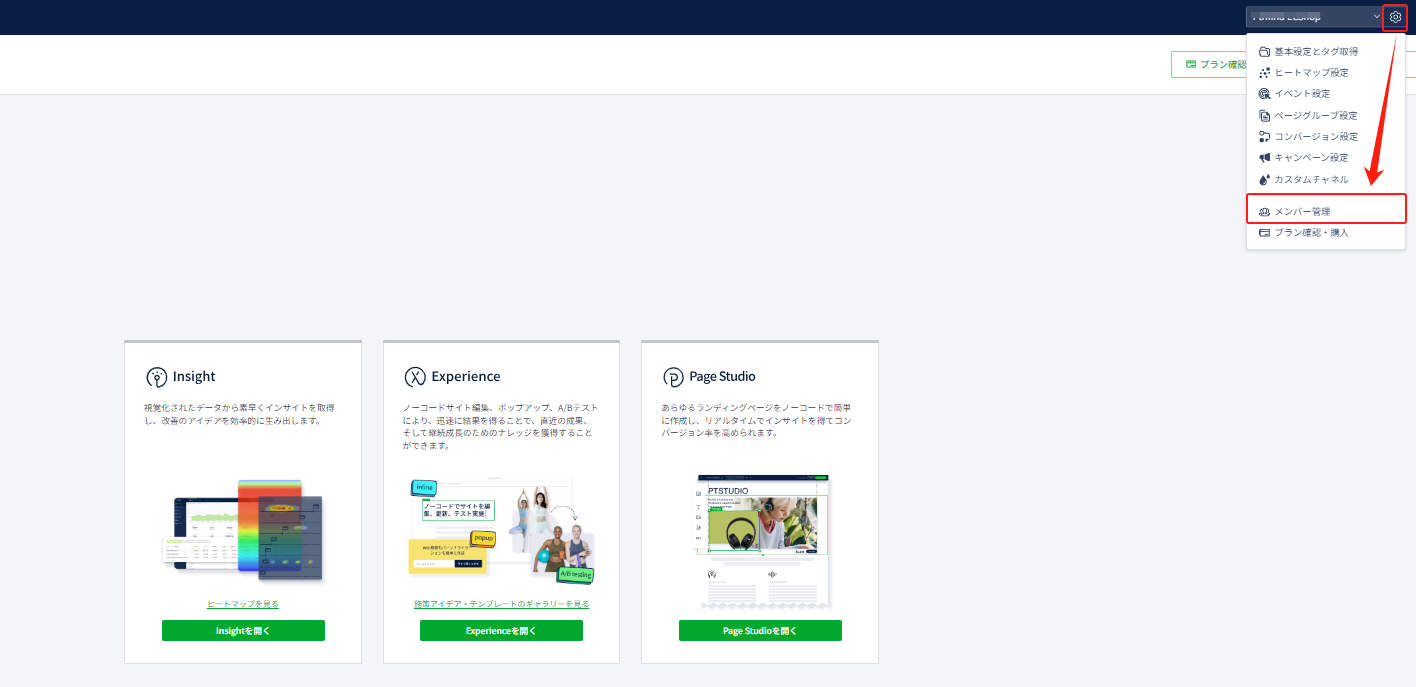
作成者（オーナー）アカウント変更につきましては、「メンバー管理」より行うことが可能です。 この操作は作成者権限のみで行えますので、必ず作成者のメールアドレスにてログインして操作をお願い致します。

1. アカウントにログインした後の画面で、歯車マークをクリック→メンバー管理をクリックしてください。

<figure><img src="/files/RcRlPmnRh3ZQRUbSWlbq" alt=""><figcaption></figcaption></figure>

2. 権限を渡したいメンバーアカウントを追加（既に追加済の場合は不要）
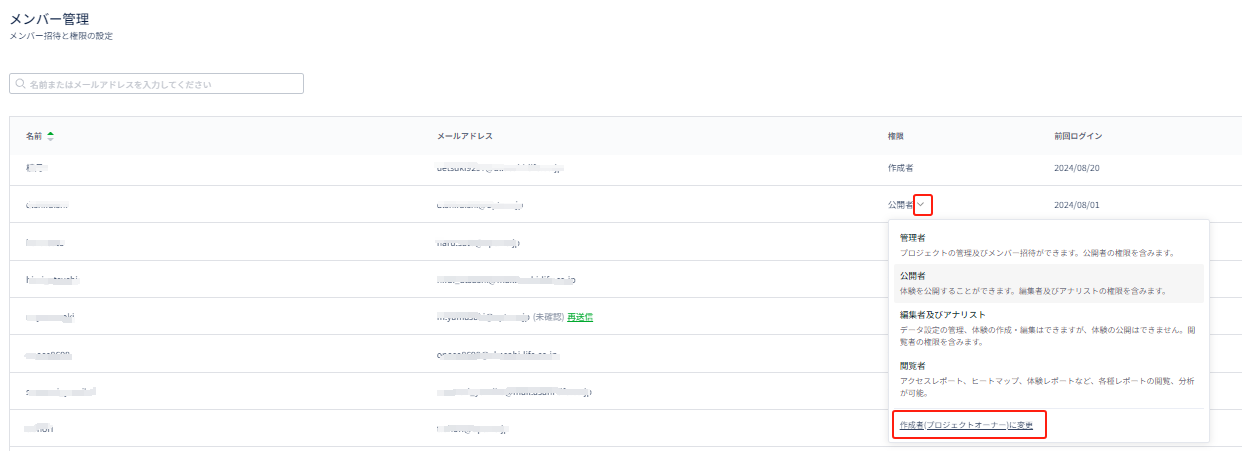
3. 「作成者（プロジェクトオーナー）に変更」をクリックしパスワードを入れると追加したアカウントに権限を譲渡することが可能です。

<figure><img src="/files/EvAgv14NU6Ifev5AZyS8" alt=""><figcaption></figcaption></figure>

{% hint style="info" %}
ご利用しなくなったアカウントは、そのメールアドレスの横にある「…」をクリックして頂くと、アカウントを削除することが可能です。
{% endhint %}
<figure><img src="/files/BQLd8RYpyi7g0bIQ7oAq" alt=""><figcaption></figcaption></figure>


---

# Agent Instructions: Querying This Documentation

If you need additional information that is not directly available in this page, you can query the documentation dynamically by asking a question.

Perform an HTTP GET request on the current page URL with the `ask` query parameter:

```
GET https://helps.ptengine.com/account-settings/change-owner.md?ask=<question>
```

The question should be specific, self-contained, and written in natural language.
The response will contain a direct answer to the question and relevant excerpts and sources from the documentation.

Use this mechanism when the answer is not explicitly present in the current page, you need clarification or additional context, or you want to retrieve related documentation sections.
