> For the complete documentation index, see [llms.txt](https://helps.ptengine.com/llms.txt). Markdown versions of documentation pages are available by appending `.md` to page URLs; this page is available as [Markdown](https://helps.ptengine.com/account-settings/delete-account.md).
# アカウントの削除(退会)
アカウントを削除すると、それまでにPtengineで集計したデータや設定はすべて削除されます。 なお、有料プランをご利用中のアカウントにつきましては退会処理ができません。必ず\*\*ご解約(アカウントを無料版にダウングレード)\*\*してから退会申請を行うようお願いいたします。
{% hint style="info" %}
ご解約、またはアカウントを無料版にダウングレードする方法について
**クレジットカード決済**のお客様は、[こちら](/account-settings/new-cancel/stop-auto-payment.md)をご参照ください
**銀行振込決済**のお客様は[こちら](/account-settings/new-cancel/cancel.md)をご参照ください
{% endhint %}
{% hint style="warning" %}
①:有料でご利用いただいている場合は必ず上記の解約手続きを行ってください。行わない場合、削除は実行されません。
②:退会申請をする前に、該当のアカウントで作成したプロジェクトをすべて削除してください。
③:上記を満たし、申請が完了した場合、数日以内に削除いたします。いかなる場合も申請は取り消しできません。
{% endhint %}
## プロジェクトの削除方法
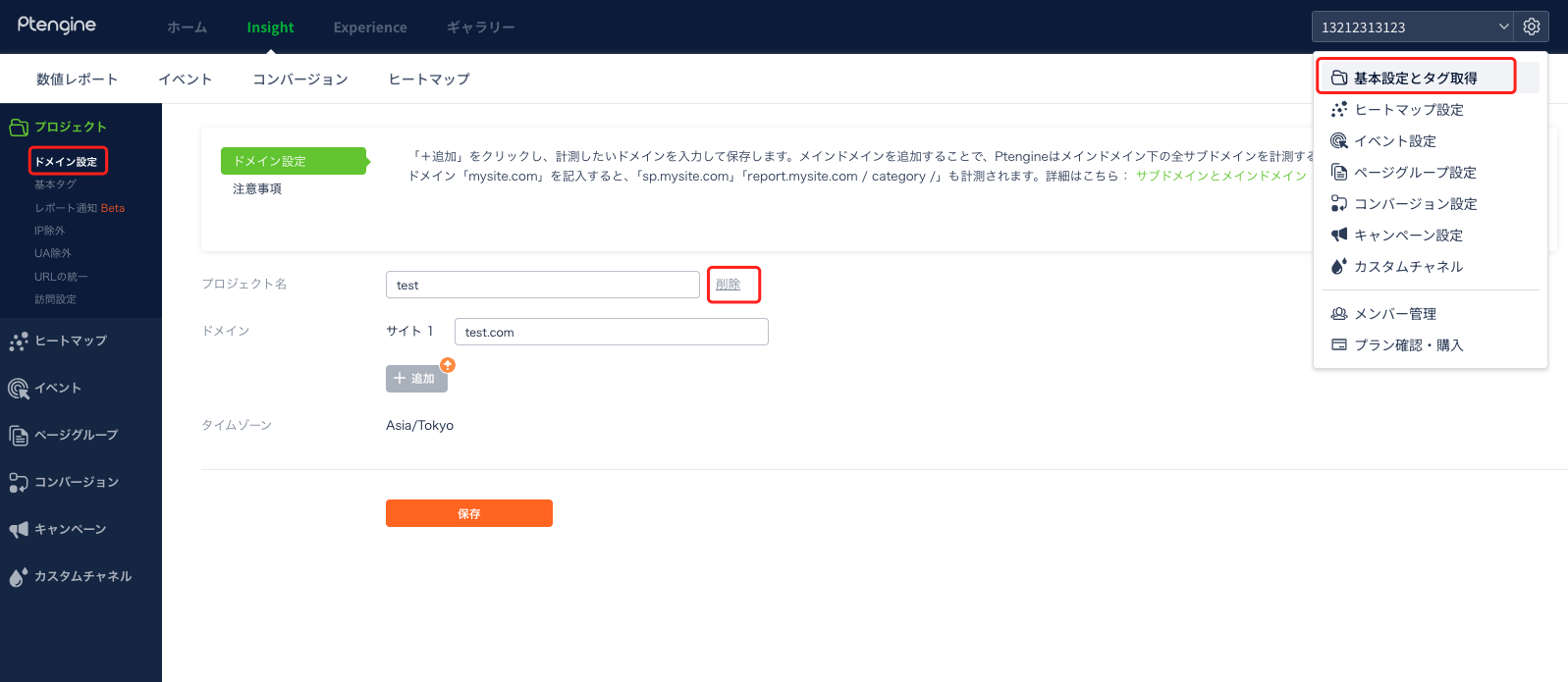
1. アカウントにログインした後の画面で、下記画像の赤枠内のアイコンをクリックしてください
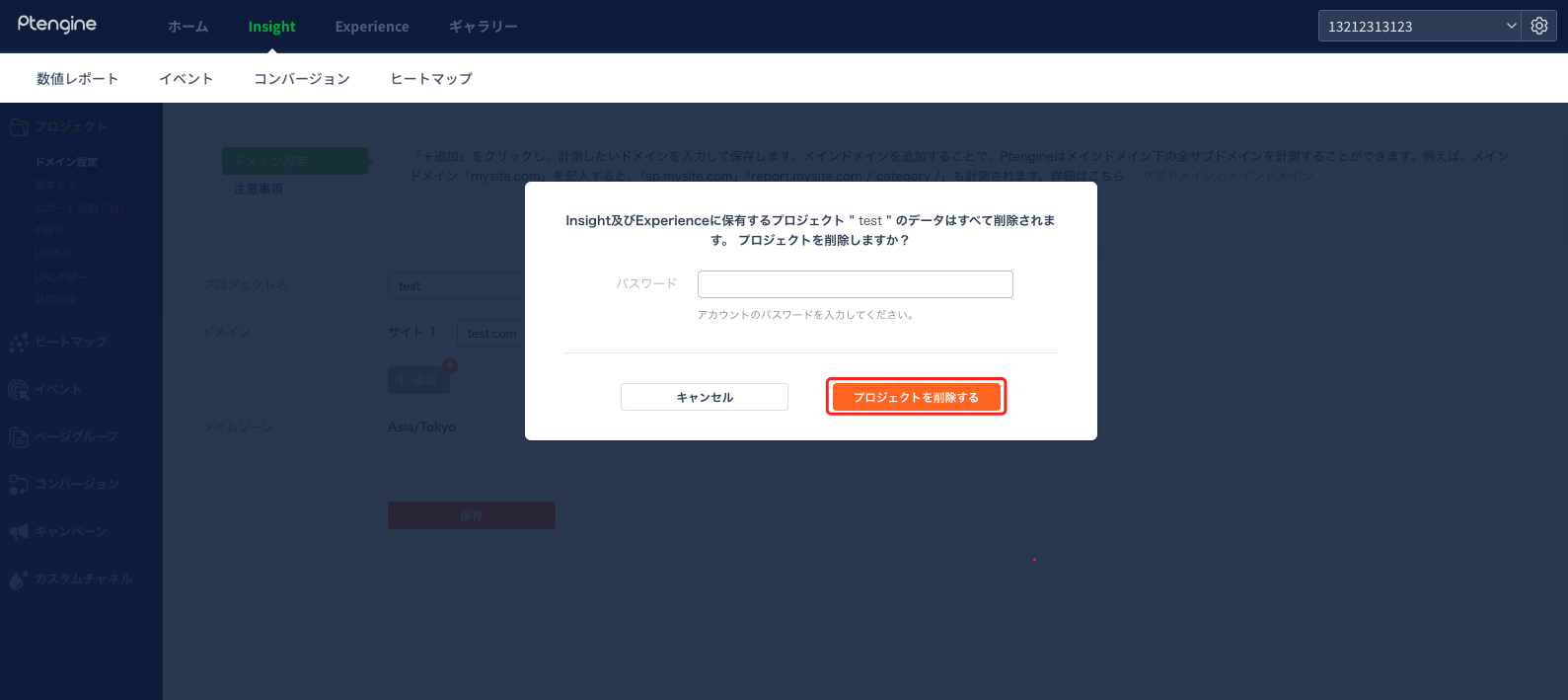
2. パスワードを入力し、\[プロジェクトを削除する]をクリックすると削除完了です
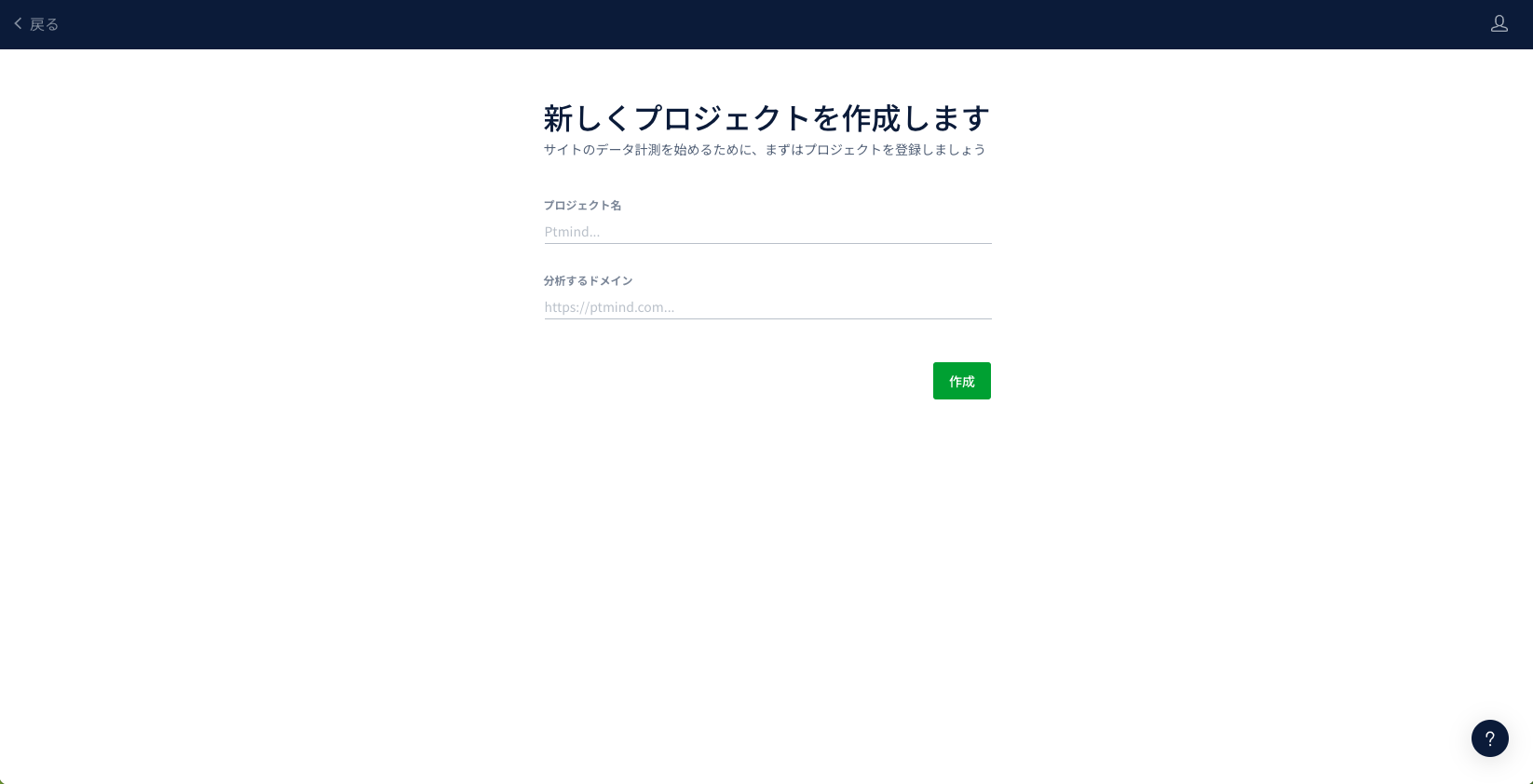
※もし、プロジェクトの削除が完了している場合(アカウントにプロジェクトが作成されていない場合)、ログイン直後の画面は下記のようになります。
3. 上記の操作完了後、[Ptengine退会申請フォーム](https://ptmind1.typeform.com/to/ERSyo7)より、退会申請を行ってください。通常お申込み後、7営業日以内に退会処理が完了し、退会アカウント宛に退会完了の通知メールが届きます。