> For the complete documentation index, see [llms.txt](https://helps.ptengine.com/llms.txt). Markdown versions of documentation pages are available by appending `.md` to page URLs; this page is available as [Markdown](https://helps.ptengine.com/cn/faq/others/ad-identification.md).
# 广告识别方法
## 广告识别方法
在数字营销中,广告链接通常会带有特定的参数来追踪用户点击行为。这些参数可以帮助我们识别URL是否来自于广告,Ptengine默认采用UTM参数识别法,但近年来,部分广告平台可能由于种种原因或者广告投手没有设置UTM参数导致流量归类不准确,后续Experience的触达不精准。
下面介绍两种广告识别法:
### 标准UTM识别法(Ptengine默认)
[`http://www.example.com/?utm_source=google&utm_medium=cpc&utm_campaign=spring_sale&utm_content=ad_version_1&utm_term=shoes+for+sale`](http://www.example.com/?utm_source=google\&utm_medium=cpc\&utm_campaign=spring_sale\&utm_content=ad_version_1\&utm_term=shoes+for+sale)
* **utm\_source**: 这个参数用来标识具体的广告来源,例如 `facebook` 或 `google`
* **utm\_medium**: 这个参数用来标识广告媒介或方式,例如 `cpc` 或 `email`
* **utm\_campaign**: 这个参数用来标识具体的广告系列
* **utm\_term**: 这个参数用来标识搜索关键词,在付费搜索广告中较为常见
* **utm\_content**: 这个参数用来区分不同的广告内容
### 非标准UTM广告识别
一些广告平台可能不使用UTM参数。对这些平台的广告链接识别,一般会要求先了解每个具体平台的URL结构和规则。以下是几个常见广告平台的URL识别示例:
* **Facebook Ads**: Facebook Ads可以使用fbclid
[`http://www.example.com/?fbclid=IwAR0V6MGxMHoeeeJip9FZbBB7k4w`](http://www.example.com/?fbclid=IwAR0V6MGxMHoeeeJip9FZbBB7k4w)
* **Twitter Ads**: Twitter有自己的参数,t\_src和t\_tw
[`http://www.example.com/?t_src=Twitter&t_tw=ExampleTweet`](http://www.example.com/?t_src=Twitter\&t_tw=ExampleTweet)
* **Google Ads**: Google Ads也有自己的自动标记功能,通过gclid参数进行链接点击跟踪
[`http://www.example.com/?gclid=Cj0KCQjwvr6EBhDOp9j2tOzg8NBEiQAM6Jevaa`](http://www.example.com/?gclid=Cj0KCQjwvr6EBhDOp9j2tOzg8NBEiQAM6Jevaa)
* **Bing Ads**: Bing Ads使用msclkid参数进行点击跟踪
[`http://www.example.com/?msclkid=12345abcde`](http://www.example.com/?msclkid=12345abcde)
* **LinkedIn Ads**: LinkedIn使用`li_fat_id`参数
[`http://www.example.com/?li_fat_id=a1234bc`](http://www.example.com/?li_fat_id=a1234bc)
**注意**:虽然上述参数常用于各大广告平台,但不够识别严谨,最好是结合HTTP Referer识别判断
### 如何追踪非标准UTM广告
**方法一:使用的参数并非标准的UTM格式,而是自定义参数的情况下**
例如投放团队根据投放策略设计了独特的参数,如:cm\_cpc=xxxx,cm\_ad=yyyy,utm\_name=... 您可以在设置界面中的“广告”模块的参数构建器将同一策略的广告识别规则进行设置。
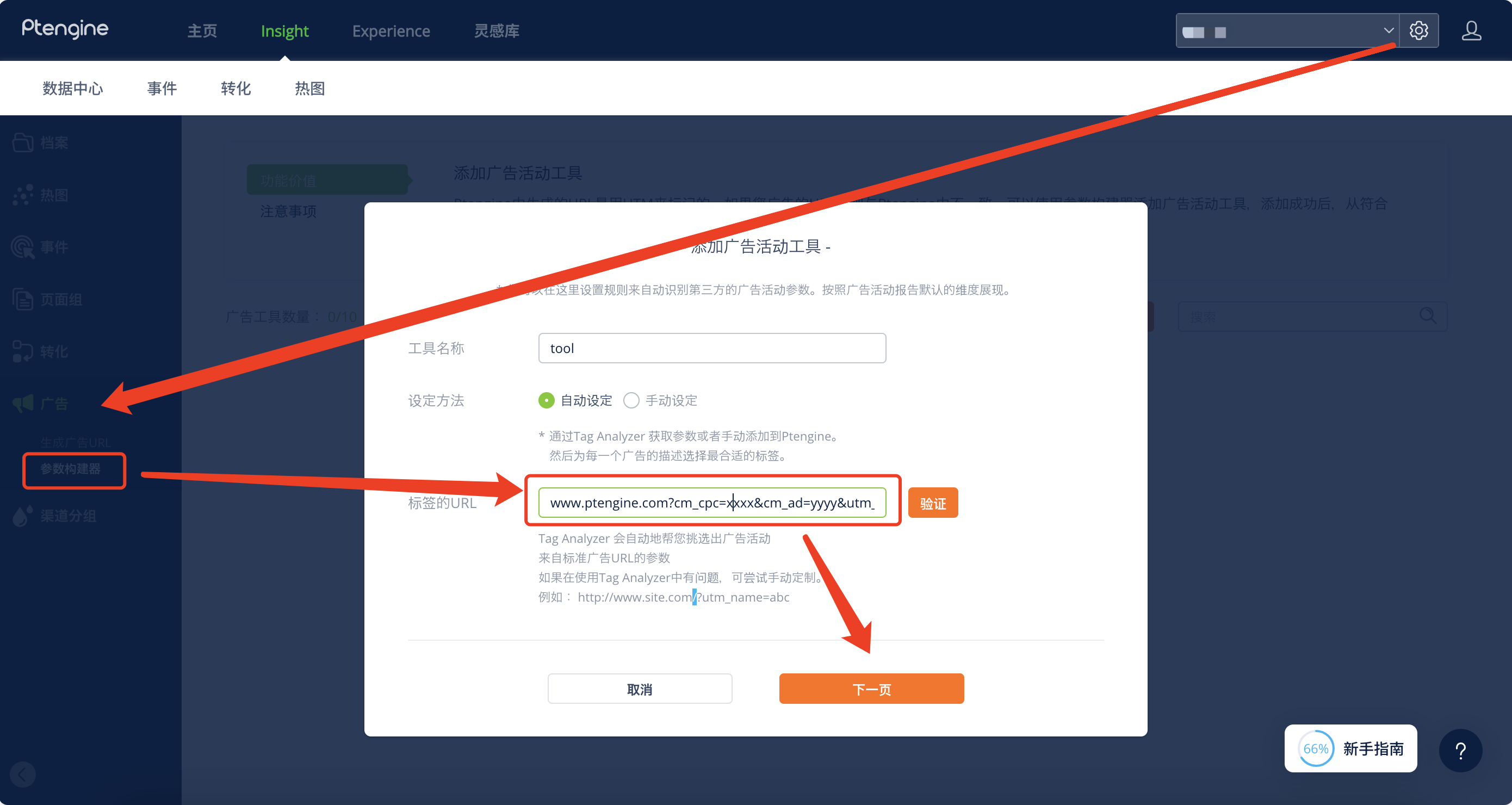
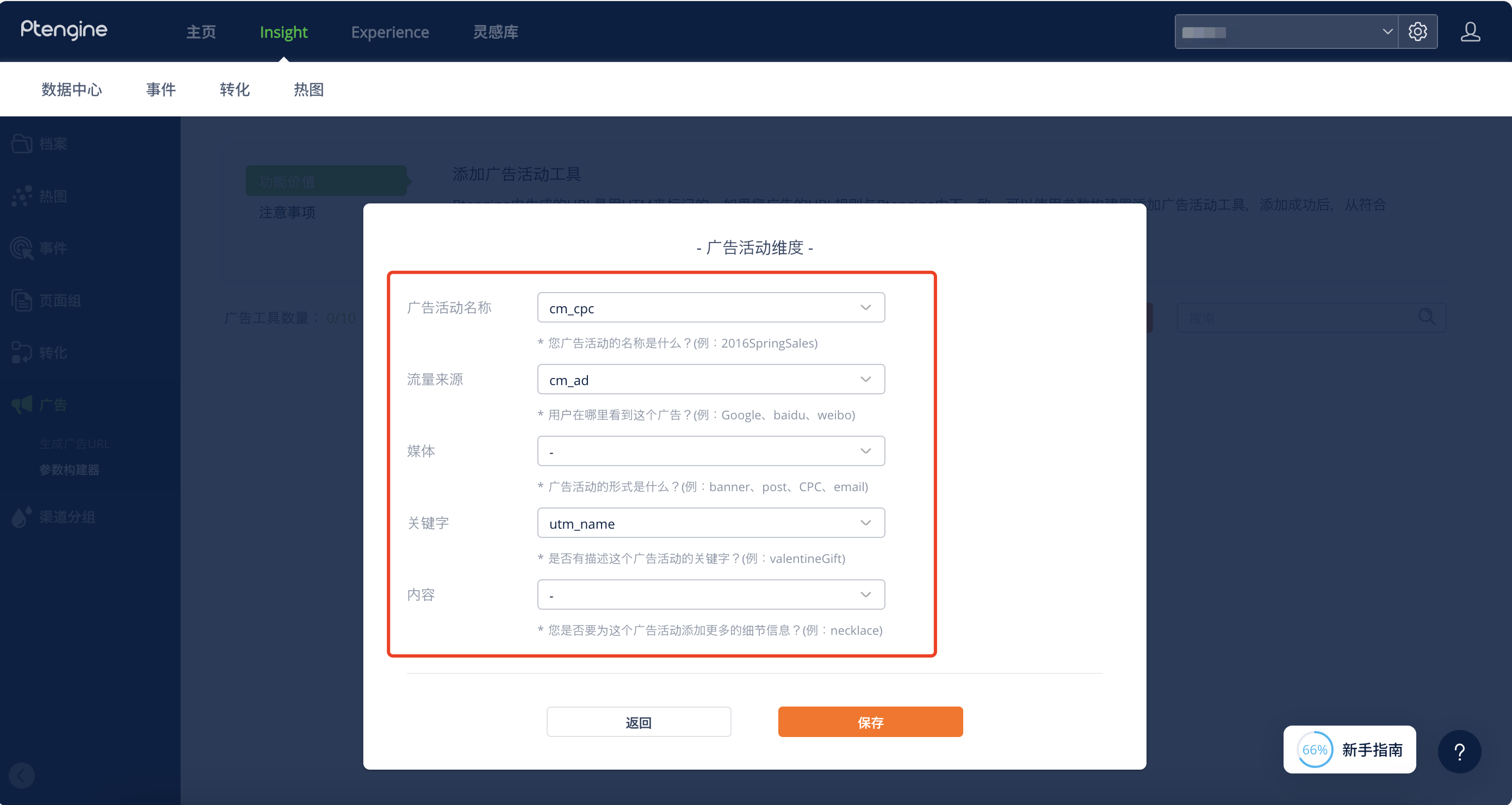
识别规则设置好后,可以将设置的广告参数对应到不同的广告维度中。
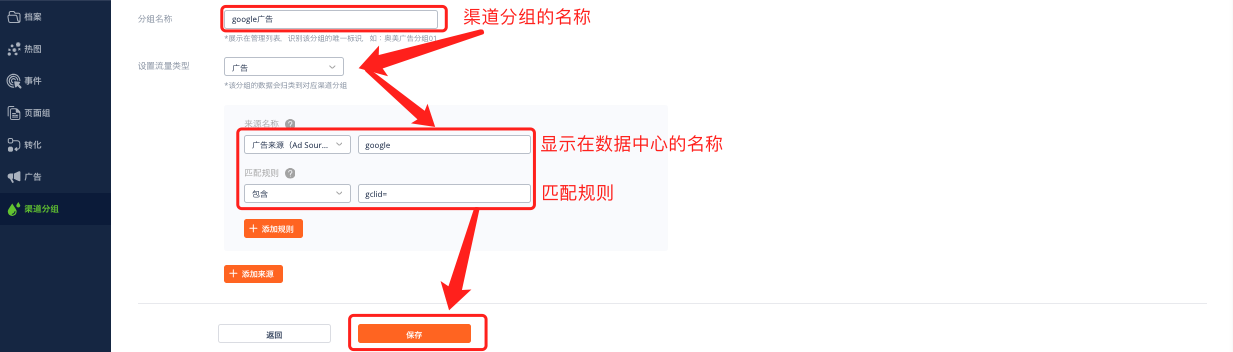
**方法二:当无法了解参数背后逻辑的情况下(例如gclid、fbclid)**\
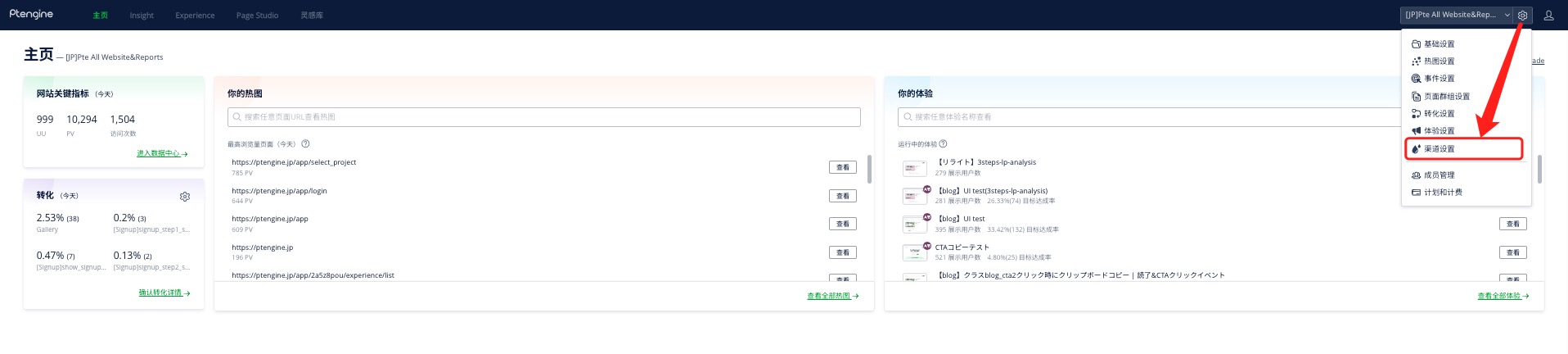
1、进入渠道设置
 2、点击新建分组
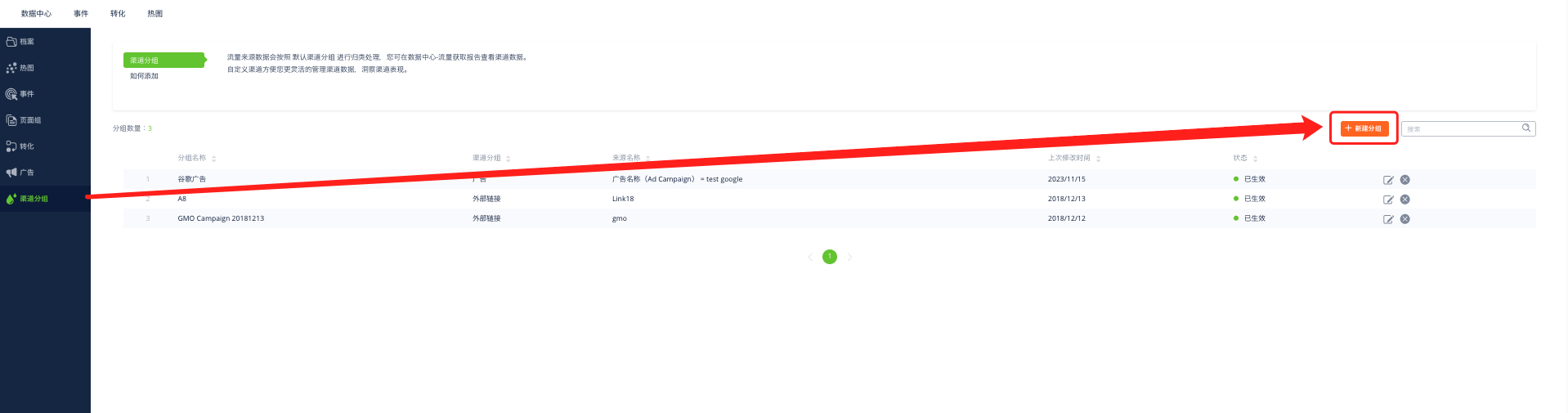 3、设置识别规则,以Google为例,设置一个分组名称,显示在数据中心的标签以及识别规则
 [
[
](/cn/faq/insight-setting/cross-domain-other.md)