> For the complete documentation index, see [llms.txt](https://helps.ptengine.com/llms.txt). Markdown versions of documentation pages are available by appending `.md` to page URLs; this page is available as [Markdown](https://helps.ptengine.com/cn/faq/others/csp-policy.md).
# 出现CSP错误时的处理方法
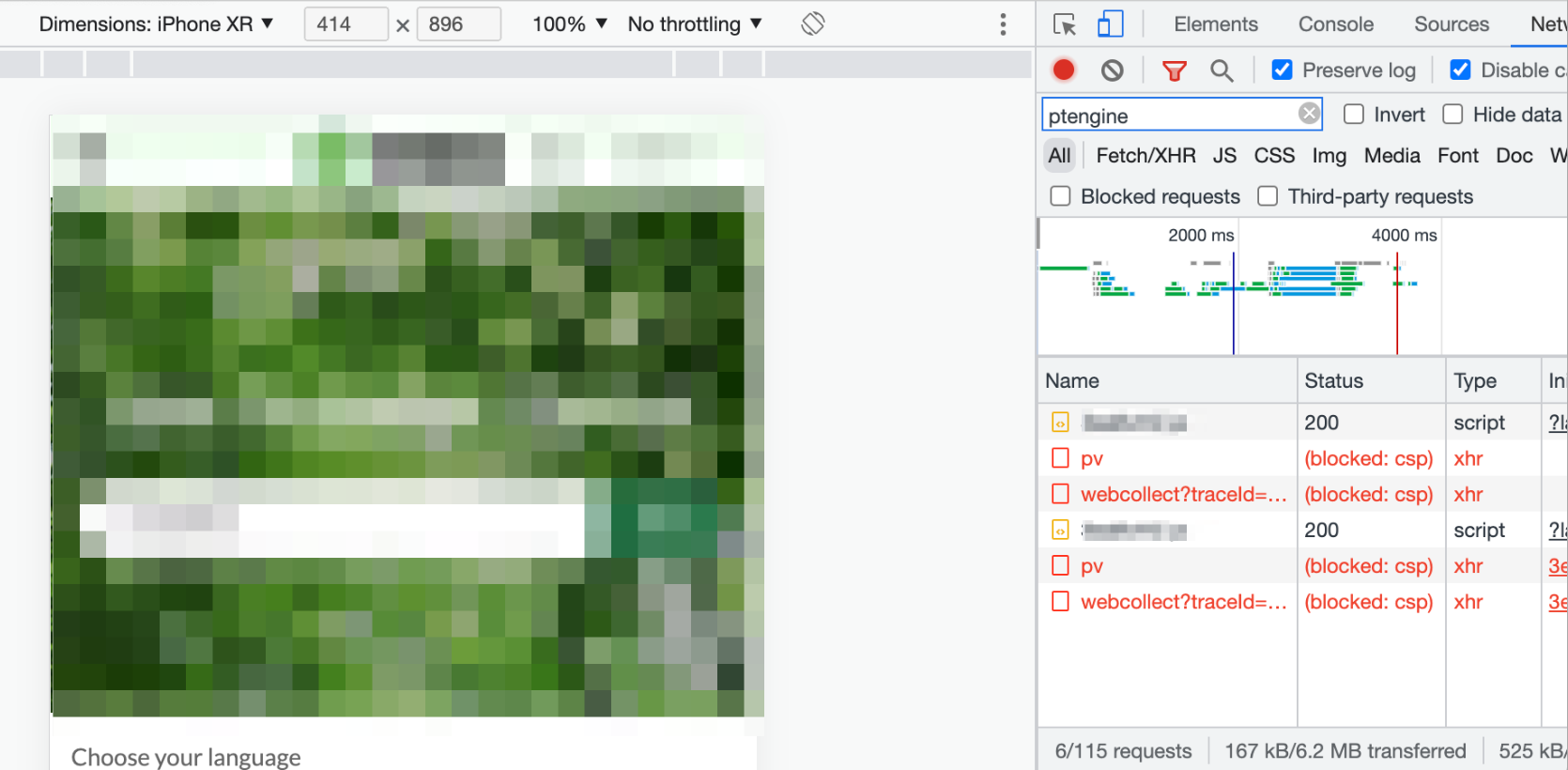
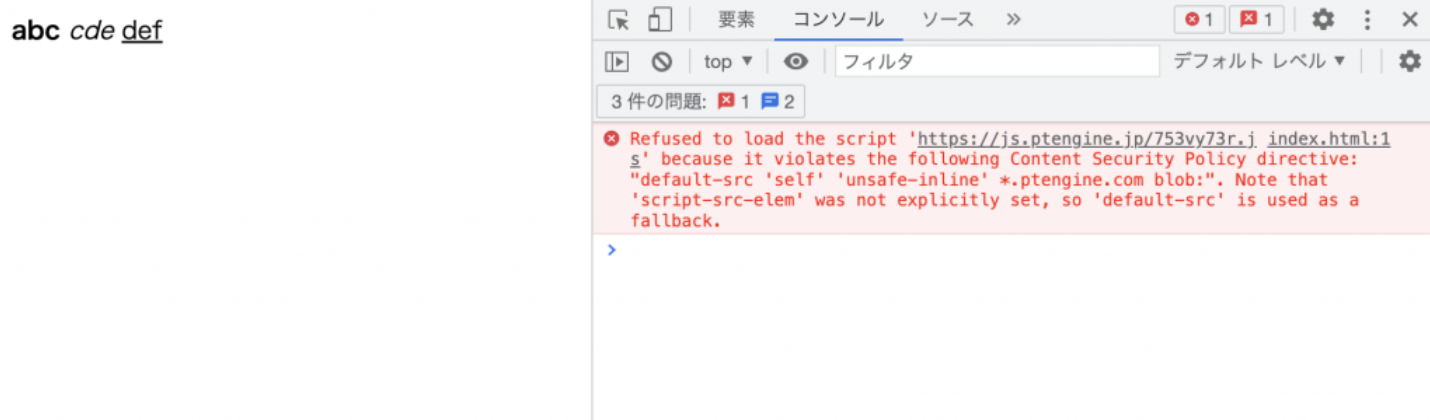
在网站安装标签并[确认标签触发](https://helps.ptengine.com/cn/faq/start-guide/check-tag-firing)时,如果出现 Content Security Policy(CSP)错误,请参考本文,将 Ptengine 的域名添加到白名单中。
错误页面示例
 ## 仅设置了 `default-src` 的情况
需要同时添加 `unsafe-inline`、`*.ptengine.jp` 和 `*.ptengine.com` 三项。
```
```
## 按媒体类型分别设置 CSP 的情况
请参考以下表格进行设置。
| 媒体类型 | 策略 |
| ----------- | ----------------------------------------------------- |
| script-src | `'self' 'unsafe-inline' *.ptengine.jp *.ptengine.com` |
| style-src | `'self' 'unsafe-inline' *.ptengine.jp *.ptengine.com` |
| connect-src | `*.ptengine.jp *.ptengine.com` |
| img-src | `*.ptengine.jp *.ptengine.com` |
| frame-src | `*.ptengine.jp *.ptengine.com` |
```
```
## 仅设置了 `default-src` 的情况
需要同时添加 `unsafe-inline`、`*.ptengine.jp` 和 `*.ptengine.com` 三项。
```
```
## 按媒体类型分别设置 CSP 的情况
请参考以下表格进行设置。
| 媒体类型 | 策略 |
| ----------- | ----------------------------------------------------- |
| script-src | `'self' 'unsafe-inline' *.ptengine.jp *.ptengine.com` |
| style-src | `'self' 'unsafe-inline' *.ptengine.jp *.ptengine.com` |
| connect-src | `*.ptengine.jp *.ptengine.com` |
| img-src | `*.ptengine.jp *.ptengine.com` |
| frame-src | `*.ptengine.jp *.ptengine.com` |
```
```