# 热图绘制逻辑
Ptengine的注意力热图是相对用户停留时间并确定颜色的,具体来说,它主要基于以下计算公式和三条呈现逻辑来描绘颜色。
#### 注意力颜色计算公式
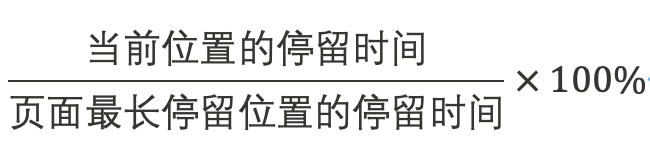
根据上述计算公式,超过90%的区域几乎呈现红色,然后过渡为橙色、黄色、黄绿色和蓝色,而0%的情况下则是透明的。

**三条呈现逻辑**
1. **注意力收拢于浏览器页面中央**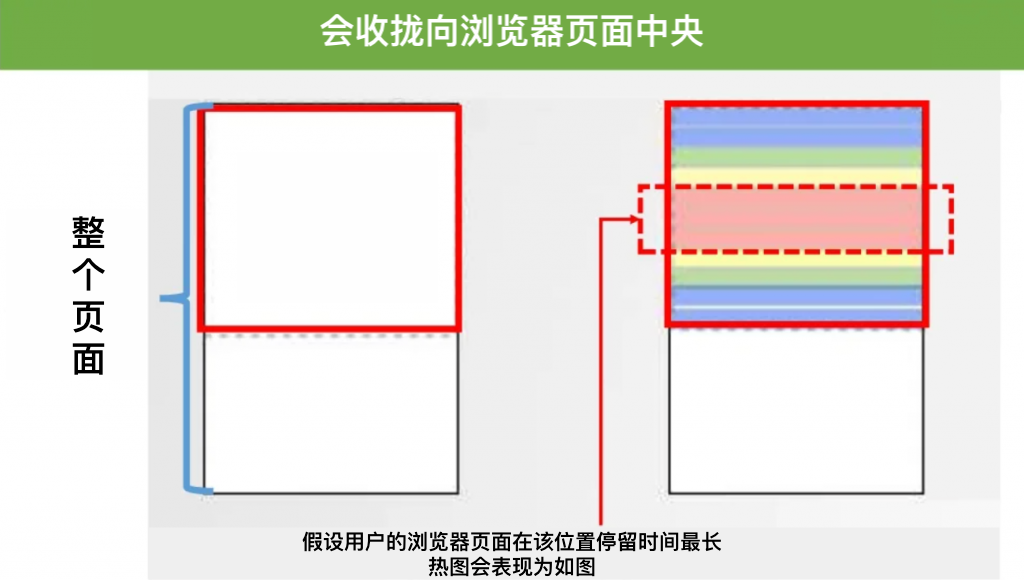
2. **用户停止滚动的位置重叠时变红**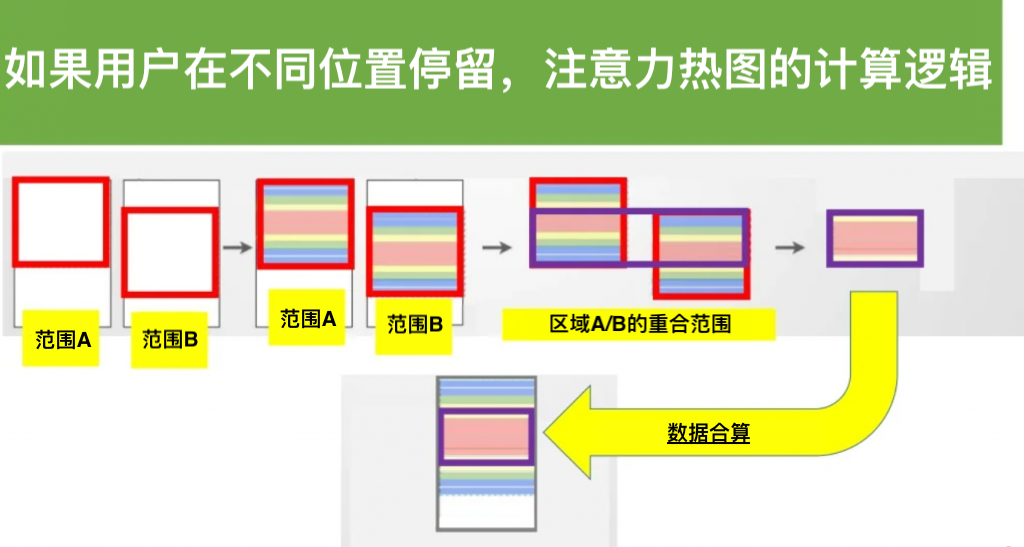
3. **基于用户最长停留位置的时间绘制**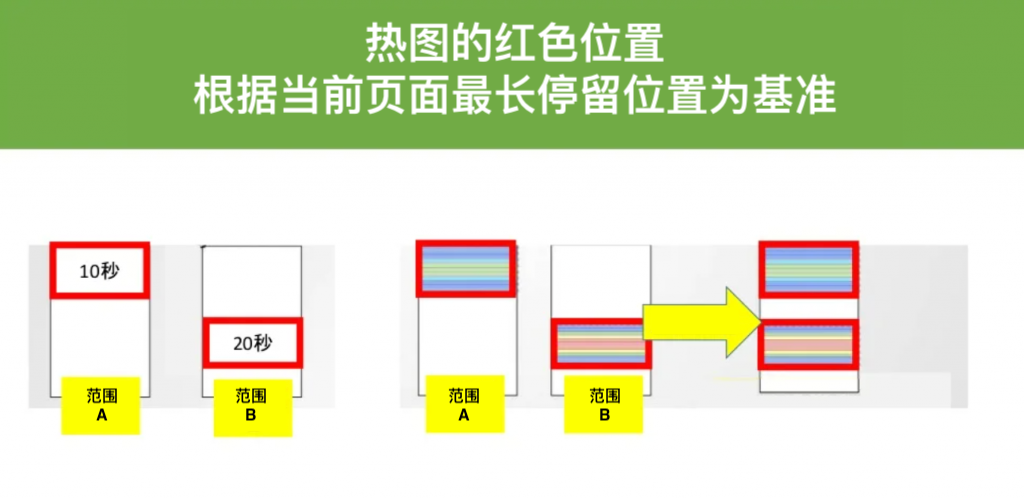
补充说明,基于上述介绍,如果页面的特定部分被极端查看,比如与其他部分的查看时间差异超过10倍,可能导致除了特定部分以外的颜色变得极端淡。在这种情况下,您可以通过将热图屏幕上的调整条向左移动来调整红色阈值,使热图更易于查看,请随时使用。

---
# Agent Instructions: Querying This Documentation
If you need additional information that is not directly available in this page, you can query the documentation dynamically by asking a question.
Perform an HTTP GET request on the current page URL with the `ask` query parameter:
```
GET https://helps.ptengine.com/cn/faq/others/heatmap-rendering-logic.md?ask=
```
The question should be specific, self-contained, and written in natural language.
The response will contain a direct answer to the question and relevant excerpts and sources from the documentation.
Use this mechanism when the answer is not explicitly present in the current page, you need clarification or additional context, or you want to retrieve related documentation sections.