> For the complete documentation index, see [llms.txt](https://helps.ptengine.com/llms.txt). Markdown versions of documentation pages are available by appending `.md` to page URLs; this page is available as [Markdown](https://helps.ptengine.com/en/faq/others/ad-identification.md).
# Ad Identification Methods
## Ad Identification Methods
In digital marketing, ad links typically include specific parameters to track user click behavior. These parameters help identify whether a URL originates from an ad. Ptengine uses the UTM parameter method by default. However, in recent years, some ad platforms may not use UTM parameters for various reasons, or advertisers may have forgotten to set them, leading to inaccurate traffic classification and imprecise Experience targeting.
Below are two ad identification methods:
### Standard UTM Identification (Ptengine Default)
[`http://www.example.com/?utm_source=google&utm_medium=cpc&utm_campaign=spring_sale&utm_content=ad_version_1&utm_term=shoes+for+sale`](http://www.example.com/?utm_source=google\&utm_medium=cpc\&utm_campaign=spring_sale\&utm_content=ad_version_1\&utm_term=shoes+for+sale)
* **utm\_source**: Identifies the specific ad source, e.g., `facebook` or `google`
* **utm\_medium**: Identifies the advertising medium or method, e.g., `cpc` or `email`
* **utm\_campaign**: Identifies the specific ad campaign
* **utm\_term**: Identifies search keywords, commonly used in paid search ads
* **utm\_content**: Differentiates between various ad creatives
### Non-Standard UTM Ad Identification
Some ad platforms may not use UTM parameters. To identify ad links from these platforms, you generally need to understand each platform's URL structure and rules. Below are examples of URL identification for several common ad platforms:
* **Facebook Ads**: Facebook Ads can use fbclid
[`http://www.example.com/?fbclid=IwAR0V6MGxMHoeeeJip9FZbBB7k4w`](http://www.example.com/?fbclid=IwAR0V6MGxMHoeeeJip9FZbBB7k4w)
* **Twitter Ads**: Twitter has its own parameters, t\_src and t\_tw
[`http://www.example.com/?t_src=Twitter&t_tw=ExampleTweet`](http://www.example.com/?t_src=Twitter\&t_tw=ExampleTweet)
* **Google Ads**: Google Ads also has its own auto-tagging feature that tracks link clicks via the gclid parameter
[`http://www.example.com/?gclid=Cj0KCQjwvr6EBhDOp9j2tOzg8NBEiQAM6Jevaa`](http://www.example.com/?gclid=Cj0KCQjwvr6EBhDOp9j2tOzg8NBEiQAM6Jevaa)
* **Bing Ads**: Bing Ads uses the msclkid parameter for click tracking
[`http://www.example.com/?msclkid=12345abcde`](http://www.example.com/?msclkid=12345abcde)
* **LinkedIn Ads**: LinkedIn uses the `li_fat_id` parameter
[`http://www.example.com/?li_fat_id=a1234bc`](http://www.example.com/?li_fat_id=a1234bc)
**Note**: Although the above parameters are commonly used by major ad platforms, they are not rigorous enough on their own. It is best to combine them with HTTP Referer identification for accurate assessment.
### How to Track Non-Standard UTM Ads
**Method 1: When custom parameters are used instead of standard UTM format**
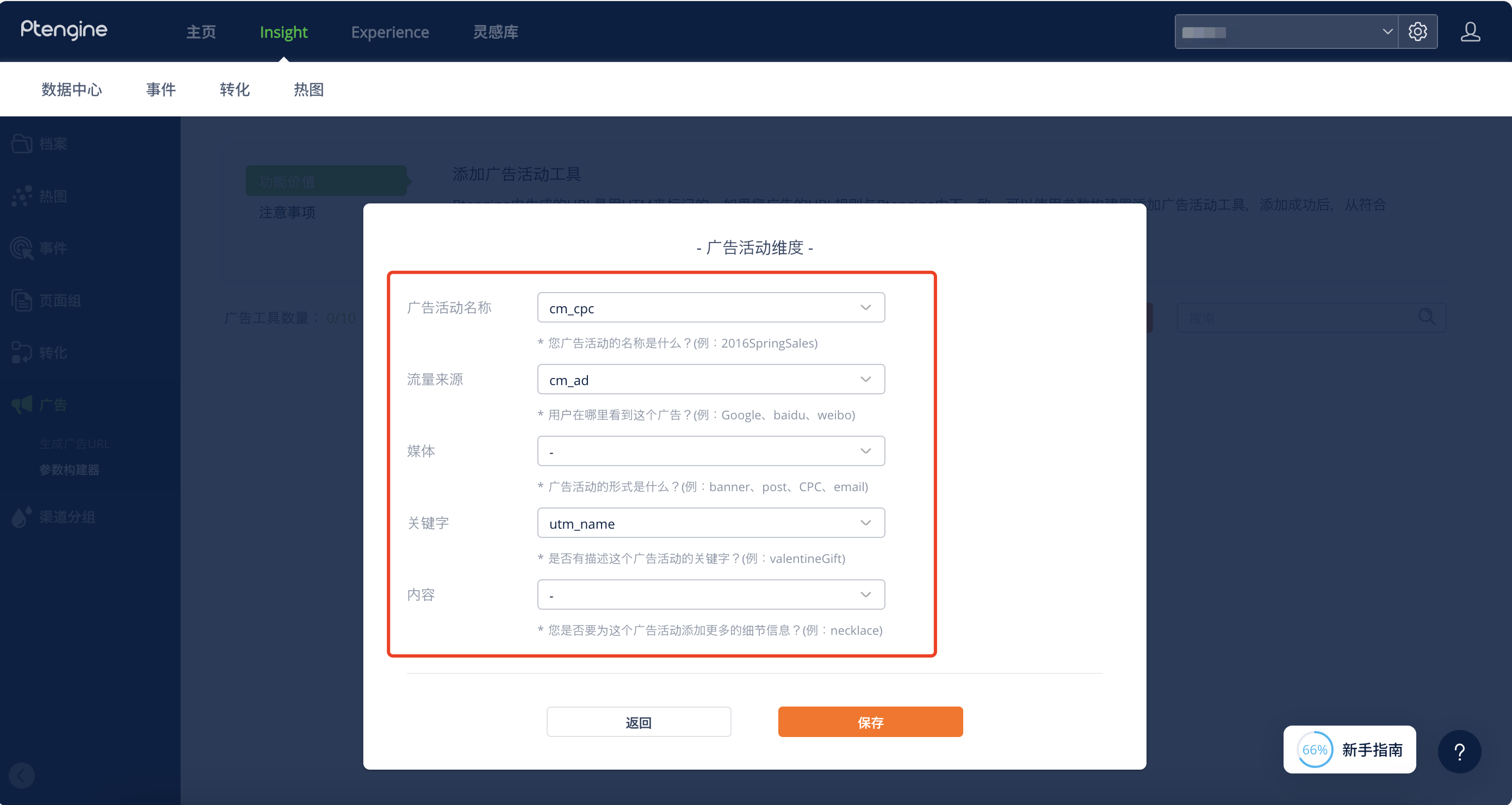
For example, if the ad team has designed unique parameters based on their strategy, such as: cm\_cpc=xxxx, cm\_ad=yyyy, utm\_name=... You can configure the ad identification rules for the same strategy in the "Ads" module of the settings page using the parameter builder.
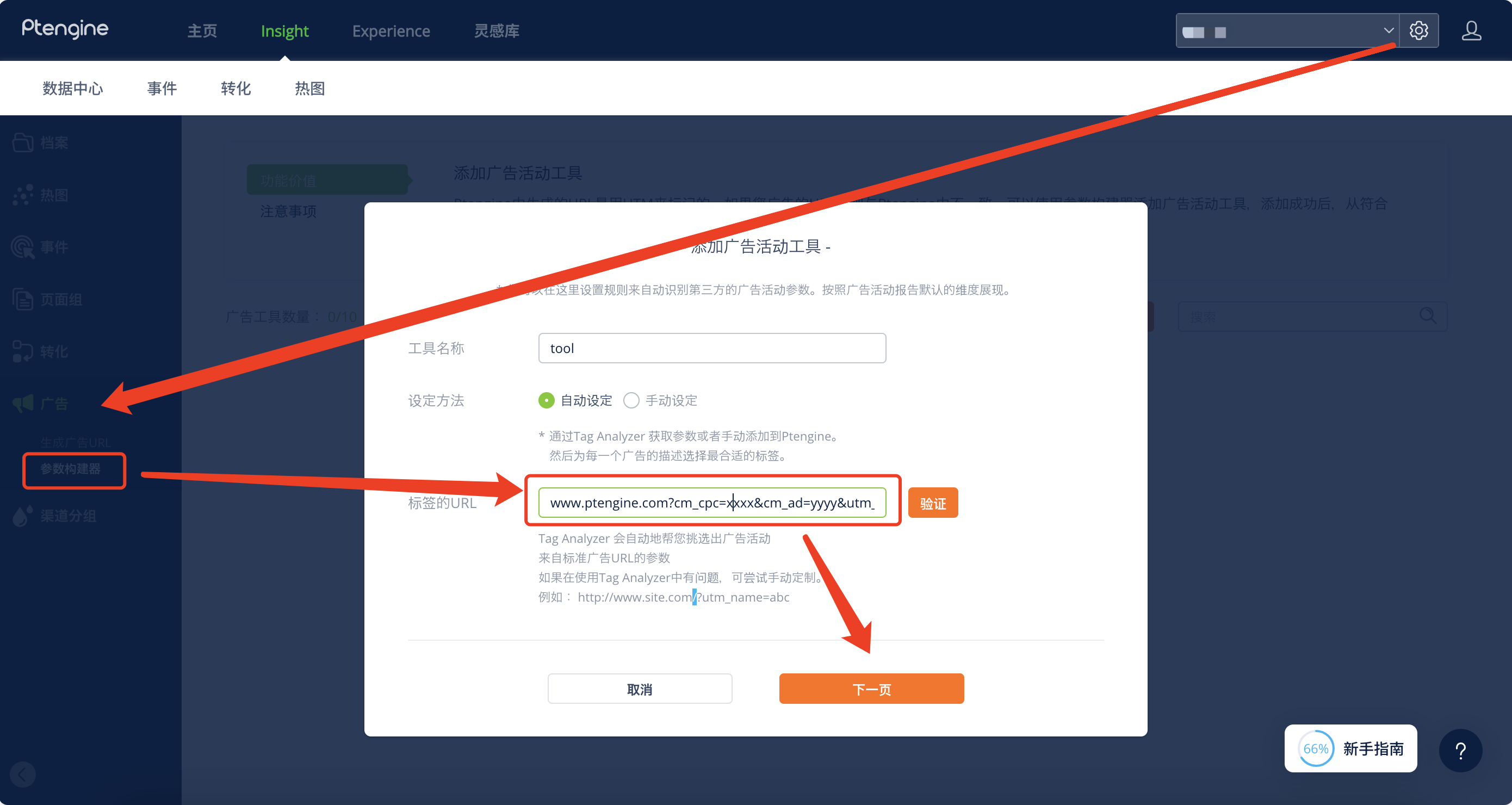
After configuring the identification rules, you can map the ad parameters to different ad dimensions.
**Method 2: When the logic behind the parameters is unknown (e.g., gclid, fbclid)**\\
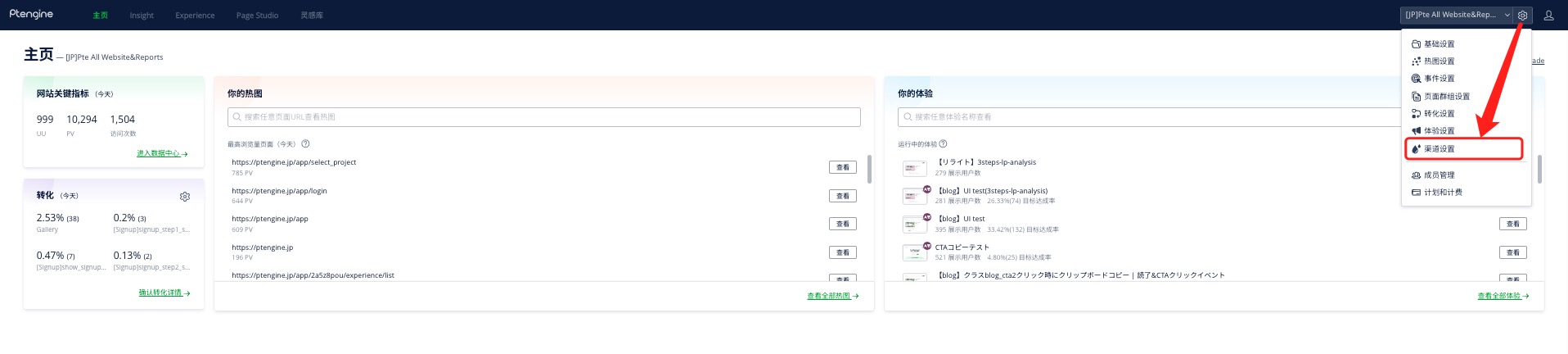
1. Go to Channel Settings
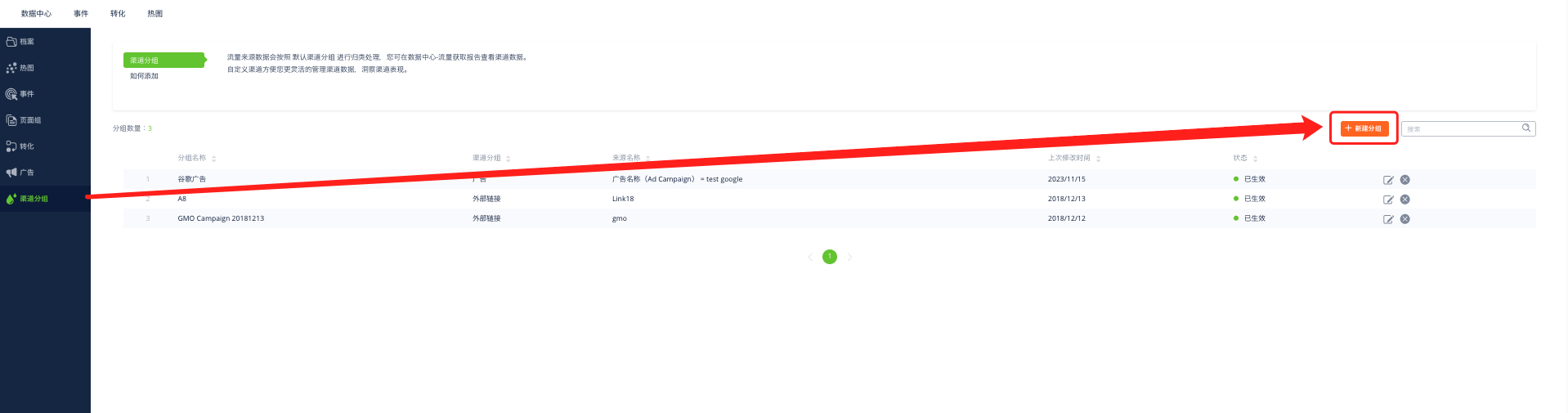
2. Click Create New Group
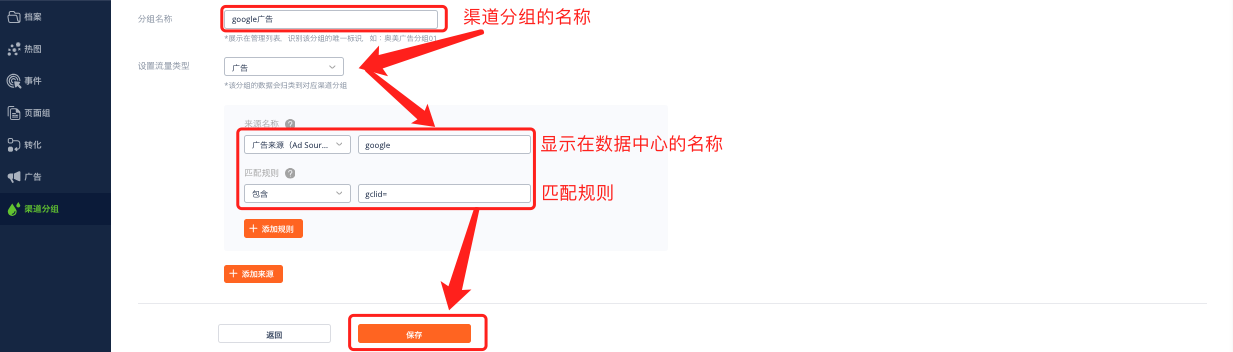
3. Set up identification rules. Using Google as an example, set a group name, a label to display in the data center, and the identification rules.