> For the complete documentation index, see [llms.txt](https://helps.ptengine.com/llms.txt). Markdown versions of documentation pages are available by appending `.md` to page URLs; this page is available as [Markdown](https://helps.ptengine.com/en/start-guide/quick/member-invitation.md).
# Member Invitations and Permission Assignment
## Team Member Management and Project Sharing
With Ptengine, you can invite team members and clients and share project details. This enables efficient collaboration and information sharing.
## Member Invitation
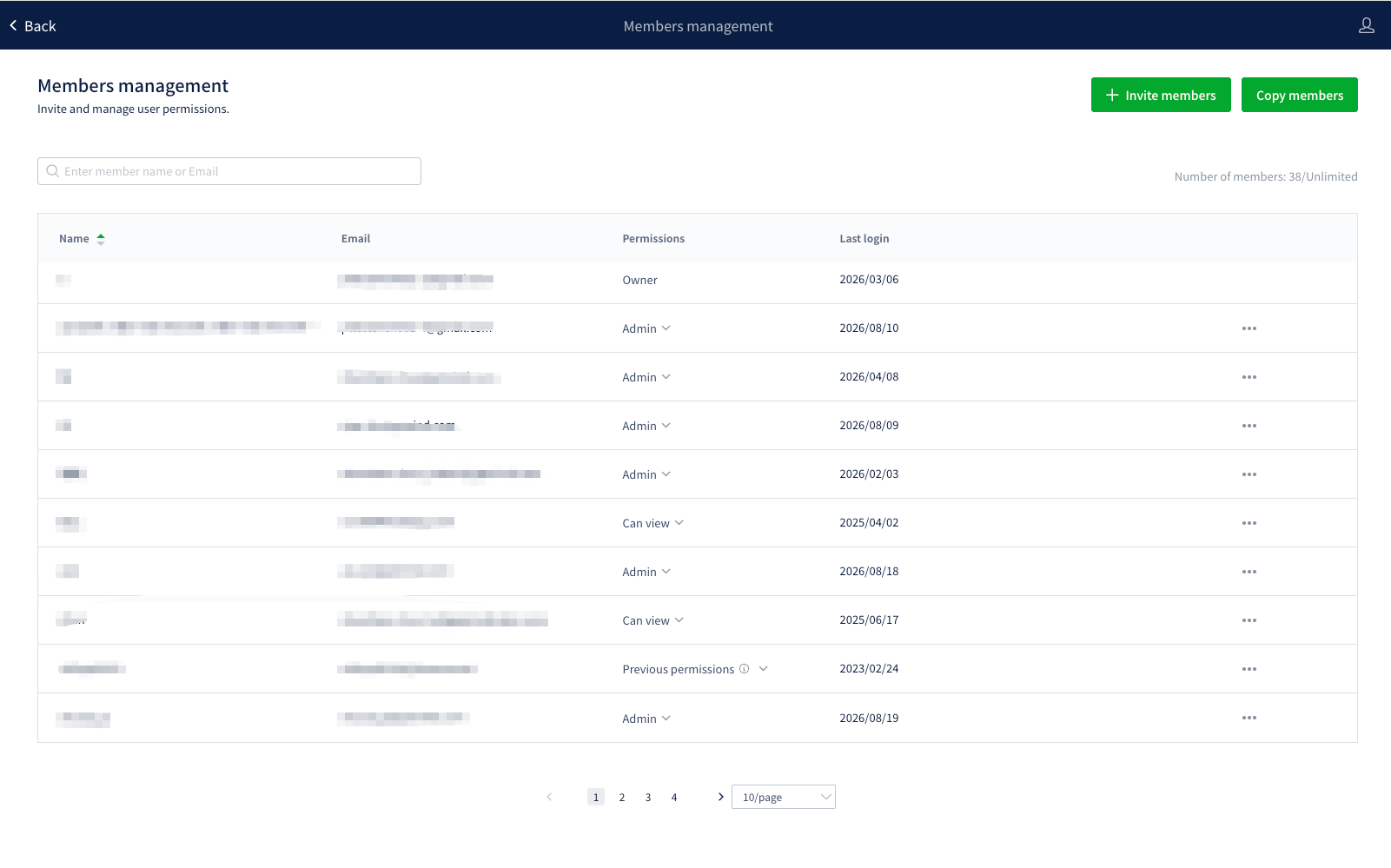
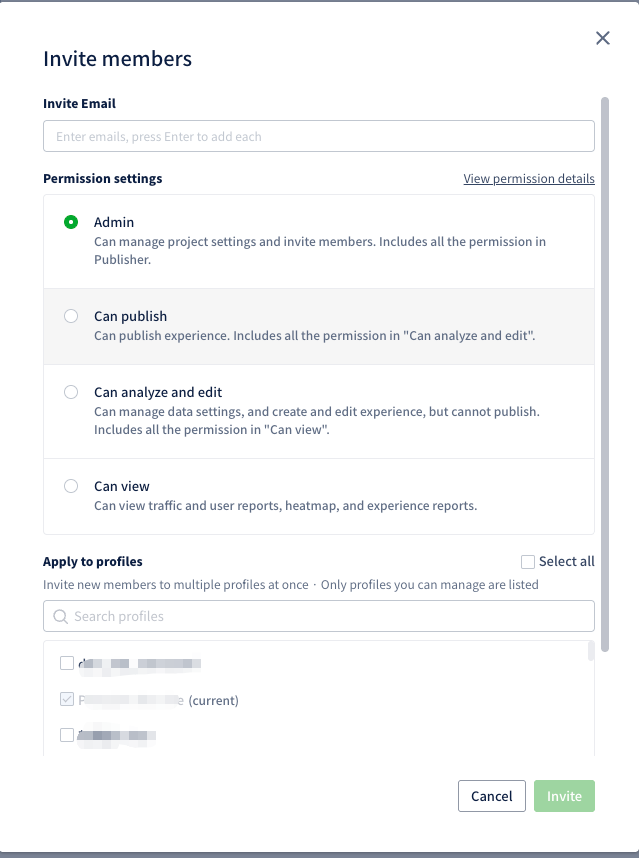
Click \[Invite members] in the upper right of \[Members management], select the email address and permissions to assign, and send the invitation.
The \[Invite Email] field takes several addresses at once — press Enter after each one to add it.
## Permission Types
Ptengine provides the following 5 permission levels:
| Permission | What it covers |
| ---------------------- | --------------------------------------------------------------------------------------------------------------------------------------------------------------------------------------------------------------------------------------------------------------------------- |
| **Creator** | The highest level on a profile: billing plan management, member management, profile settings, and full access to Insight and Experience. Each profile has exactly one Creator — see [account transfer (owner change)](/en/account-settings/change-owner.md) to hand it over |
| **Administrator** | Manage profile settings and invite members. Includes everything a Publisher can do |
| **Publisher** | Publish experiences. Includes everything an Editor and Analyst can do |
| **Editor and Analyst** | Manage data settings, create and edit experiences, but not publish them. Includes everything a Viewer can do |
| **Viewer** | View traffic and user reports, heatmaps, and experience reports |
## Permission Details
💡 Each level includes every permission from the levels below it. A Publisher, for example, also has everything an Editor and Analyst has.
📌 Creators hold the highest level of permissions and can manage every aspect of the profile. Viewers are limited to viewing and analyzing reports.
🔒 Assigning permissions by role keeps access tight and makes profile management clearer.
## Managing Members Across Profiles
{% hint style="info" %}
These features are available to accounts in Europe and North America, on profiles that use the new plan. The entry points appear only on profiles where you hold Administrator or Creator permissions — if you don't see them, your account or profile is outside the current scope.
{% endhint %}
When you manage several profiles, you can invite, copy, and remove members across all of them at once instead of repeating the same work profile by profile. All three entry points live on the \[Members management] page.
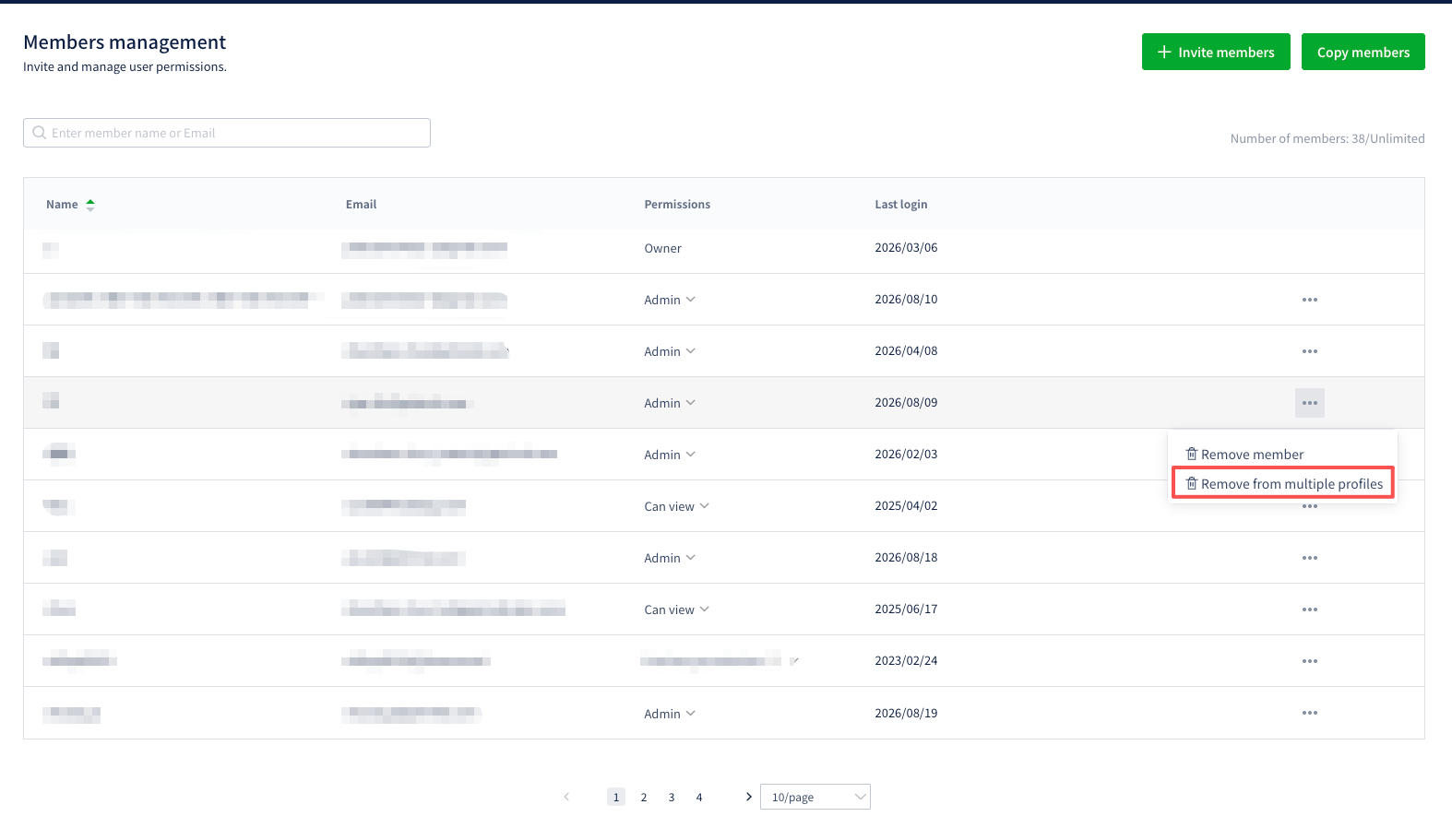
\[Number of members] on the right shows the current profile's seat usage.
Every profile list in these features includes only profiles that meet **all** of these conditions:
* You hold Administrator or Creator permissions (each list is labeled "Only profiles you can manage are listed")
* The profile uses the new plan
* The profile is in the same region as your current profile
### Invite Members to Multiple Profiles
Click \[Invite members], add addresses under \[Invite Email] (press Enter after each one), pick a permission level, and select profiles under \[Apply to profiles].
* The current profile is tagged "(current)", selected by default, and cannot be cleared
* Search by profile name, or use \[Select all]
* **People who already belong to a selected profile are skipped and keep their current permission** — including existing members in the list never overwrites what they already have
Each invitee receives a single email listing every profile they gained access to.
Results come back per profile. If some profiles fail, the message reports how many succeeded and how many failed. Successful profiles are unaffected.
### Copy Members
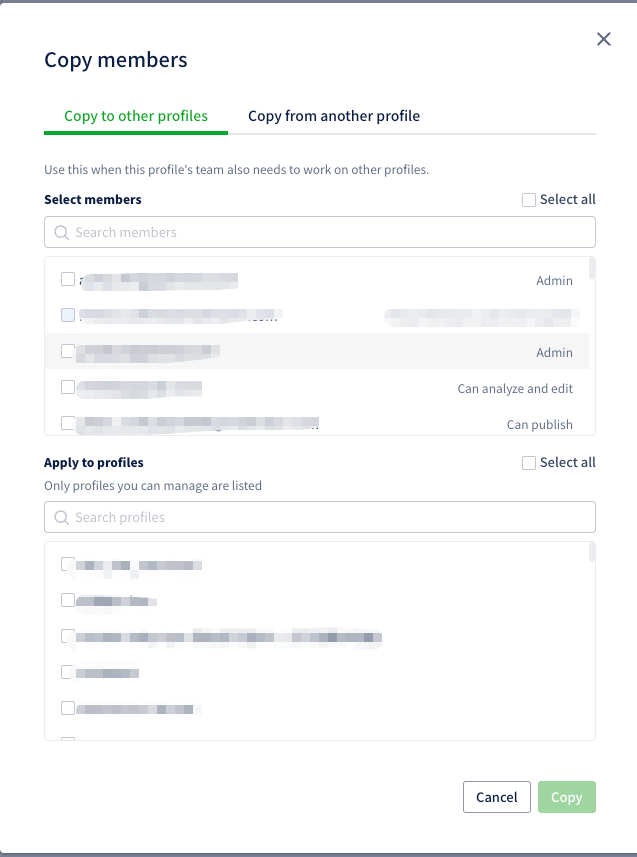
Move one profile's member setup to another profile without retyping addresses. Click \[Copy members] — the dialog offers two directions.
**Copy to other profiles**
Use this when this profile's team also needs to work on other profiles.
1. Select the members to grant access under \[Select members]
2. Select the target profiles under \[Apply to profiles]
3. Click \[Copy]
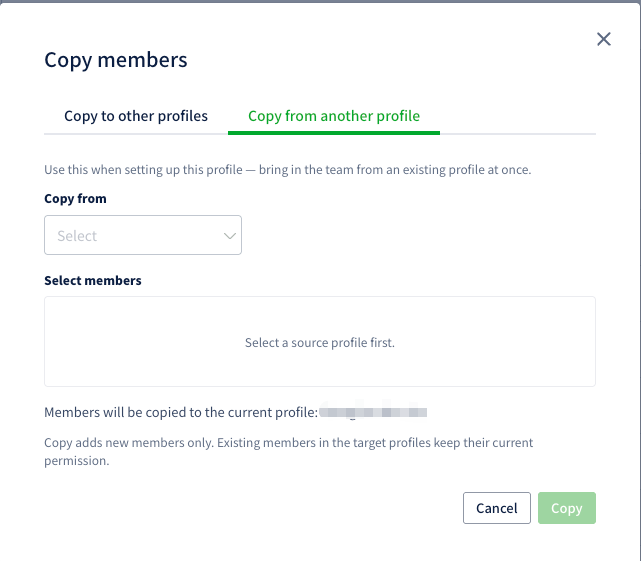
**Copy from another profile**
Use this when setting up the current profile — bring in an existing profile's team in one step.
1. Pick the source profile under \[Copy from]
2. Select the members to copy under \[Select members]
3. Click \[Copy]
In this direction the target is always the current profile — the dialog states "Members will be copied to the current profile: (name)".
Both directions follow the same rules:
* Members are copied with **the permission they hold on the source profile**
* The Creator cannot be copied. That row stays in the member list, but its permission column notes that the permission is not copyable and the row can't be selected
* Copy merges rather than replaces: **it adds new members only, and existing members in the target profiles keep their current permission**
**Prompt after creating a profile**
After you create a profile, Ptengine asks whether you want to copy members from an existing profile. Choose \[Copy members] to land on the new profile's Members management page with \[Copy from another profile] already open — you only need to pick the source and the members. Choose \[Not now] to go straight to the profile home as usual.
### Remove a Member from Multiple Profiles
In the member list, click \[•••] on the member's row and choose \[Remove from multiple profiles].
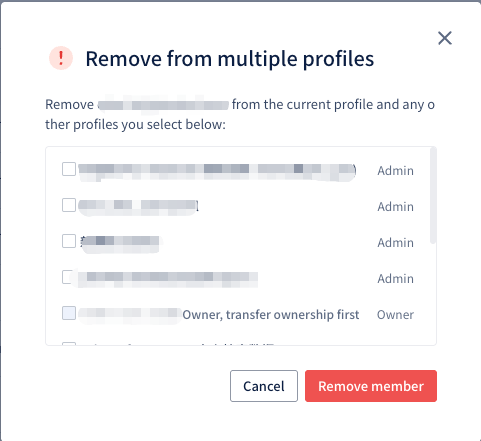
Select the additional profiles to remove them from. **The current profile is always included** — the list holds the other profiles you can manage where this member exists, and nothing is selected by default.
* Profiles where the member is the Creator can't be selected; the row reads "Owner, transfer ownership first". Complete an [account transfer (owner change)](/en/account-settings/change-owner.md) on that profile first, then come back and remove them
* The confirm button is the red \[Remove member]
* If removal fails on some profiles, the message reports how many succeeded and how many failed — nothing is skipped silently
Removal revokes access to the selected profiles only. It does not delete the person's Ptengine account, and it does not affect their permissions on profiles you left unselected.
### Troubleshooting
**\[Apply to profiles] or \[Copy members] doesn't appear**
Check these in order:
1. Your account's region — currently only accounts in Europe and North America have access
2. Whether you manage two or more profiles — with a single manageable profile, the profile selector and the \[Copy members] button stay hidden
3. Whether the target profiles use the new plan — profiles on older plans never appear in any of these lists
**You need to change an existing member's permission on another profile**
Invite and copy both skip existing members and leave their permissions alone. To change one, switch to that profile's \[Members management] and edit the \[Permissions] column on the member's row.