# コードモードの使い方

Ptengine Experienceコードモードは、HTML、JavaScript、CSSを活用して、より柔軟で高度な体験をユーザーに提供することができる機能です。このモードを使用することで、標準的なツールでは実現が難しい複雑な機能や独自のデザインを実装することが可能になります。

## コードモードの編集箇所

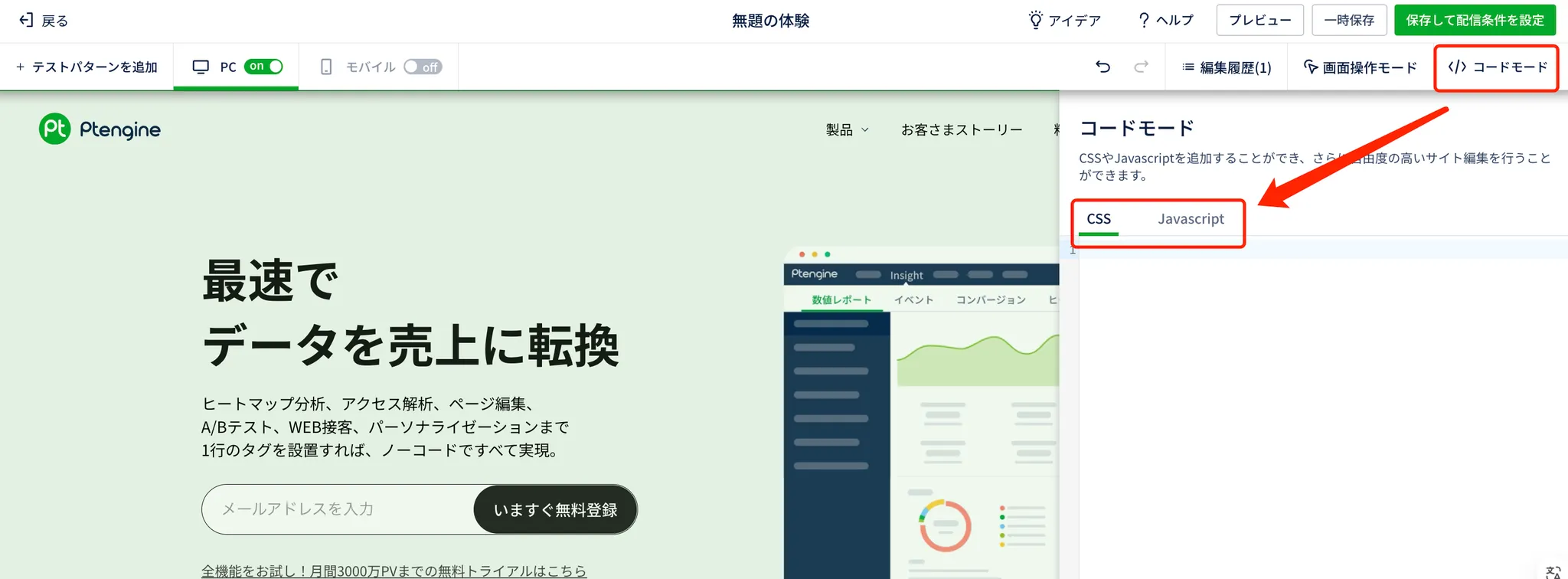
### ページ編集のエディター内の「コードモード」

ボタンをクリックすると、コードモードの設定画面が展開されます。

この画面では、JavaScriptとCSSを別々の入力枠で編集することができます。

<figure><img src="/files/LDGChOSqZH7faLcYK7p7" alt=""><figcaption></figcaption></figure>

{% hint style="danger" %}
**JavaScript入力時の注意点**

JavaScriptを書く際は、\<script>標記は必要ありません。

```javascript
❌ 誤った例:

JavaScript
<script>
function myFunction() {
  console.log("Hello, World!");
}
</script>

✅ 正しい例:

JavaScript
function myFunction() {
  console.log("Hello, World!");
}
```

{% endhint %}

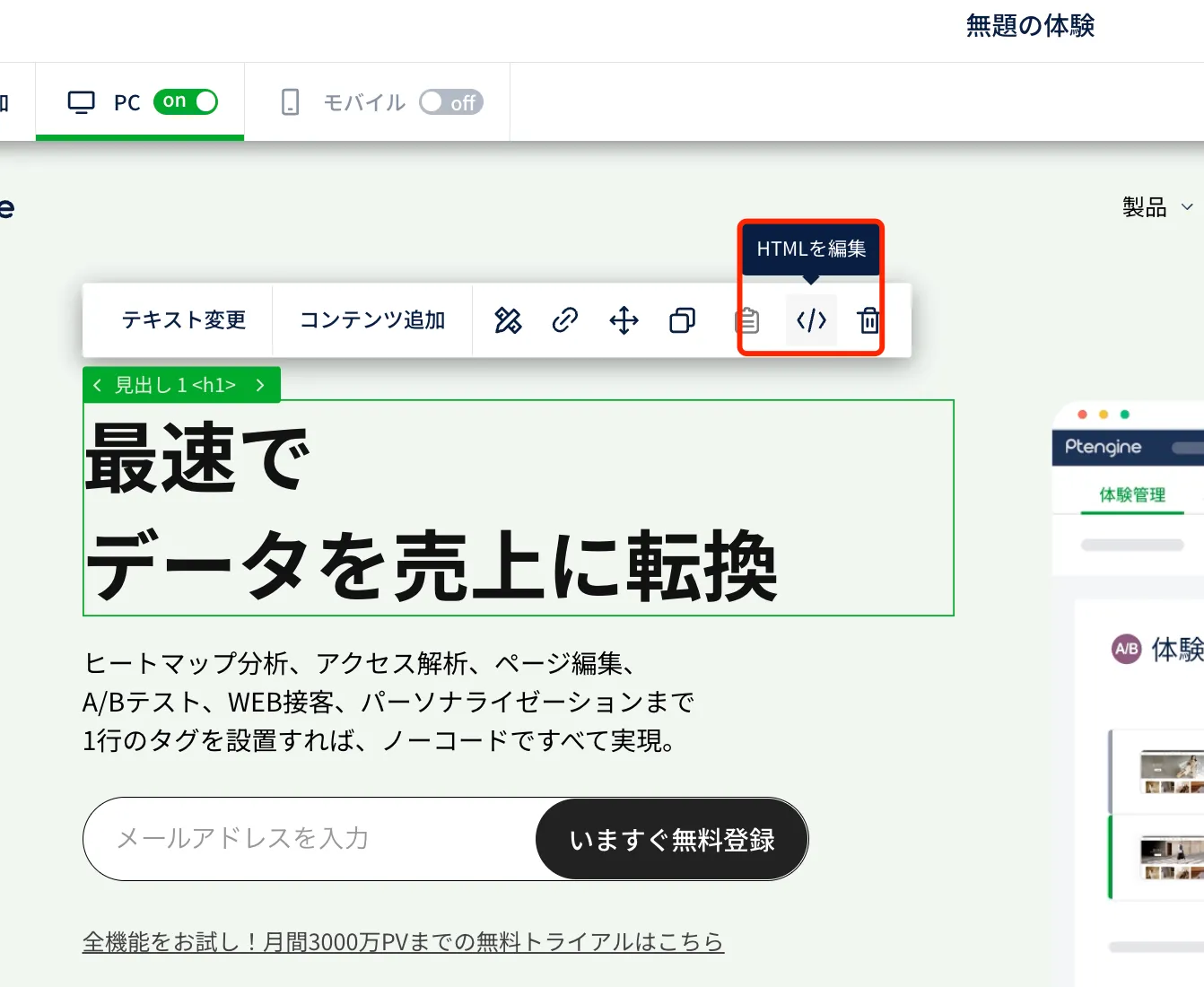
### メニューバーにある「HTMLを編集」項目

ページ上で要素をクリックすると、メニューバーが表示されます。

その中の「HTMLを編集」を利用して、コードモードで該当要素を編集することも可能です。

<figure><img src="/files/Ou3dVKJIm2IFSfVNIuXn" alt=""><figcaption></figcaption></figure>

{% hint style="danger" %}
**Warnning：**

**この機能でJavaScriptを書く際は\<script>標記が必要**なので、忘れずに追加してください。

```javascript
✅ 正しい例:

HTML
<div id="my-element">
  原本のコンテンツ
  <script>
    document.getElementById('my-element').addEventListener('click', function() {
      alert('クリックされました！');
    });
  </script>
</div>

❌ 誤った例 (スクリプトタグなし):

HTML
<div id="my-element">
  原本のコンテンツ
  document.getElementById('my-element').addEventListener('click', function() {
    alert('クリックされました！');
  });
</div>
```

{% endhint %}

## **コードモード使用時の重要な注意点 ⚠️**

### 1. サードパーティライブラリの使用制限 🚫

#### 理由:

* 体験の機能低下
* 読み込みスピードの悪化

#### 推奨:

* 可能な限り、純粋なJavaScriptを使用
* 必要最小限のコードで実装

### 2. ページ要素の変更タイミング ⏱️

#### 問題:

* JavaScriptによる要素変更は、ページロード完了後に実行される
* キャンペーンの読み込みタイミングにより、要素が表示された後に変更が適用される可能性がある

#### リスク:

* ファーストビューの要素を変更すると、ユーザー体験が悪化する可能性

#### 推奨:

* ファーストビューの要素はJavaScriptで変更しない
* 可能な限り、ページ下部や遅延読み込みの要素に変更を加える


---

# Agent Instructions: Querying This Documentation

If you need additional information that is not directly available in this page, you can query the documentation dynamically by asking a question.

Perform an HTTP GET request on the current page URL with the `ask` query parameter:

```
GET https://helps.ptengine.com/experience/campaign/code-mode.md?ask=<question>
```

The question should be specific, self-contained, and written in natural language.
The response will contain a direct answer to the question and relevant excerpts and sources from the documentation.

Use this mechanism when the answer is not explicitly present in the current page, you need clarification or additional context, or you want to retrieve related documentation sections.